Architecture examples
A starter fills a blank canvas with a composed, editable architecture: real shapes and connectors, each connector's meaning derived from the same rules as anything you draw by hand, usually with a flow or two already defined. Nothing marks the result as "from a starter"; it is your diagram from the first edit.
Five are offered wherever you start a diagram (the home screen, a blank canvas, the desktop app's Home): Monolith, Microservices, Event-Driven, Hexagonal and CQRS. They were chosen for how much they teach and how easily each is adapted, one of each shape a first diagram tends to take, and the set is deliberately small.
The rest of the catalog is reachable by name: open a canvas, press ⌘K (Ctrl+K on Windows and
Linux), type part of the name, and press Enter. An AI agent connected to the desktop app can start
from any of them too (create_diagram with starter, see Agent integration).
| Starter | Group | What it draws |
|---|---|---|
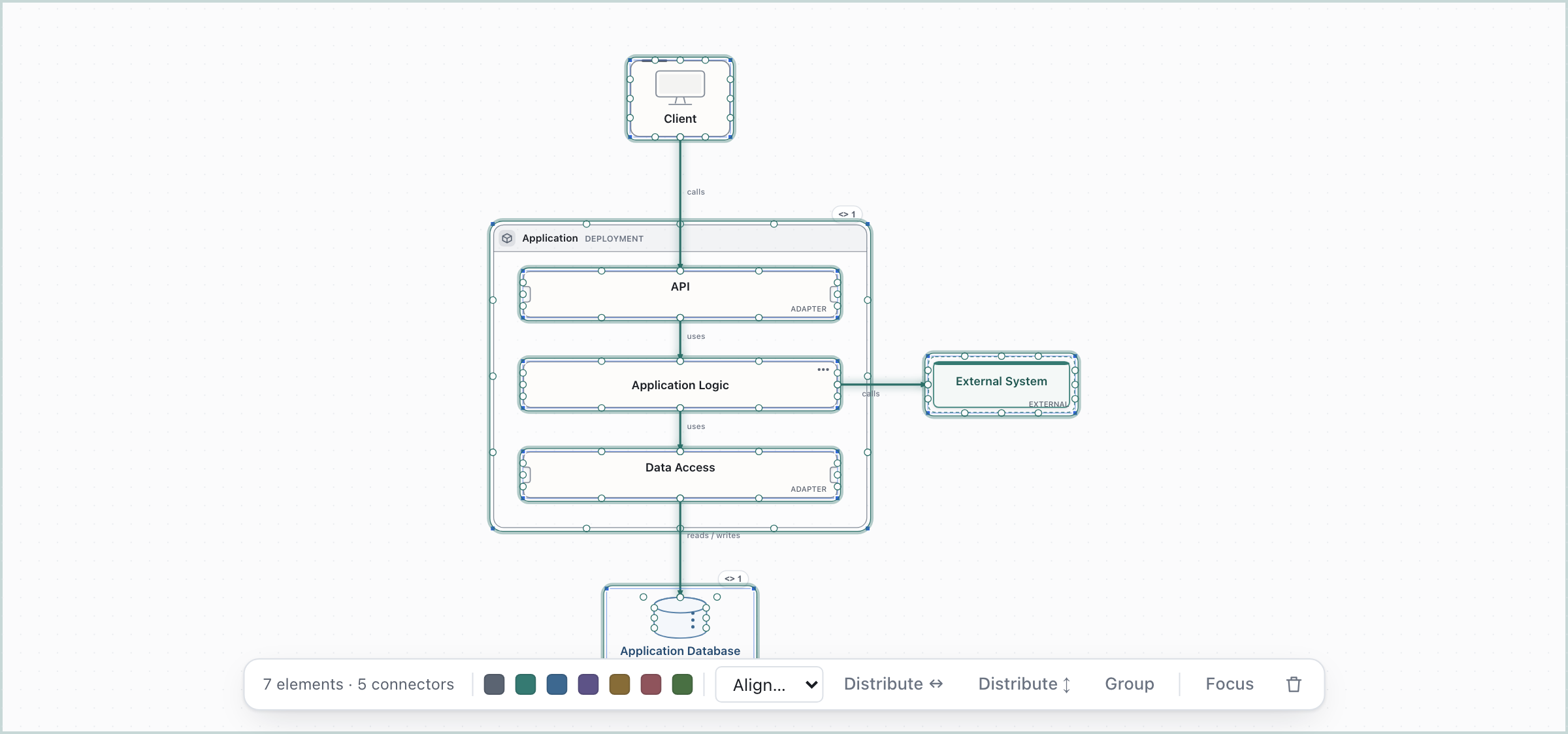
| Monolith | Architectures | One application, built and deployed as a unit: API, business logic and data access layers over one store |
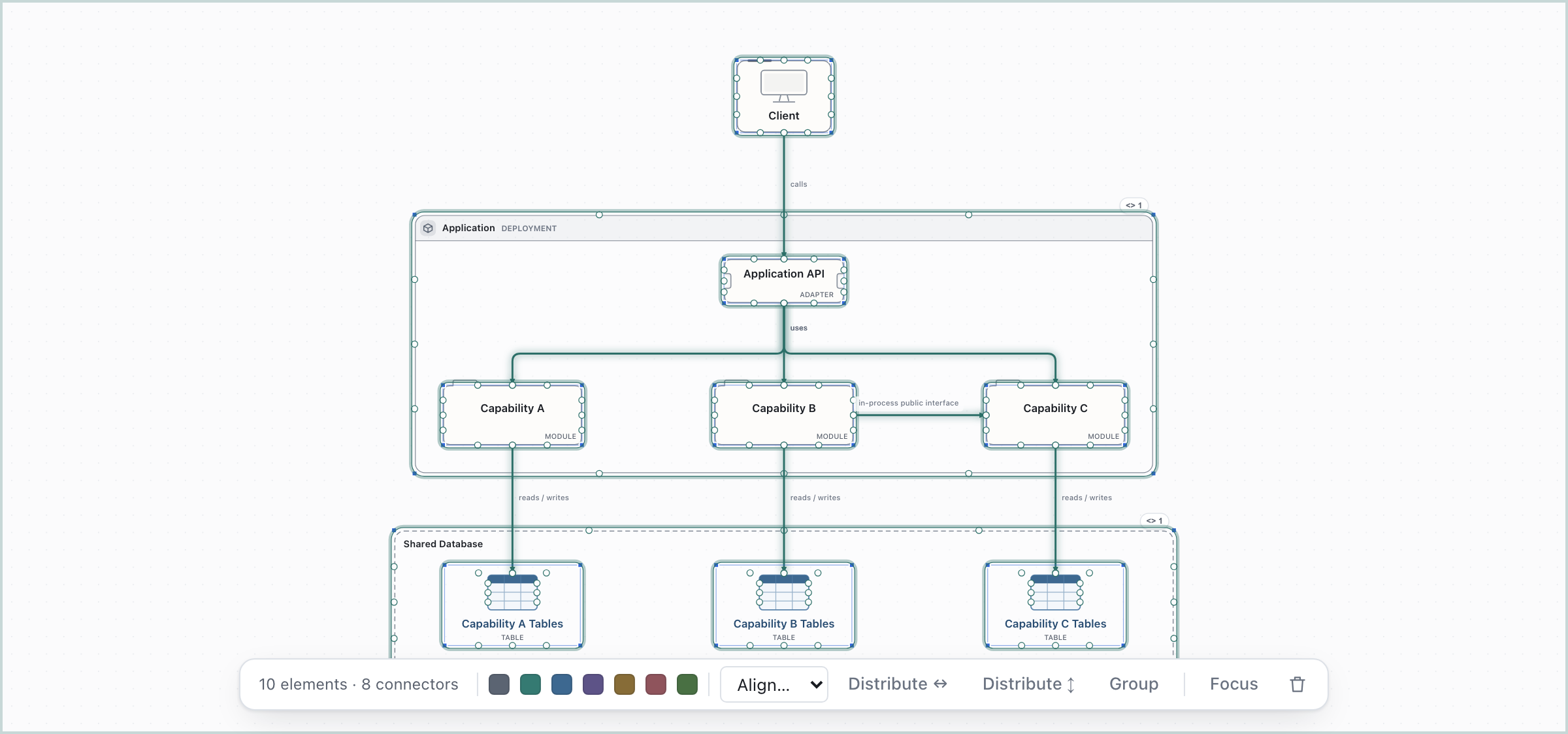
| Modular Monolith | Architectures | One deployable, explicitly encapsulated modules inside |
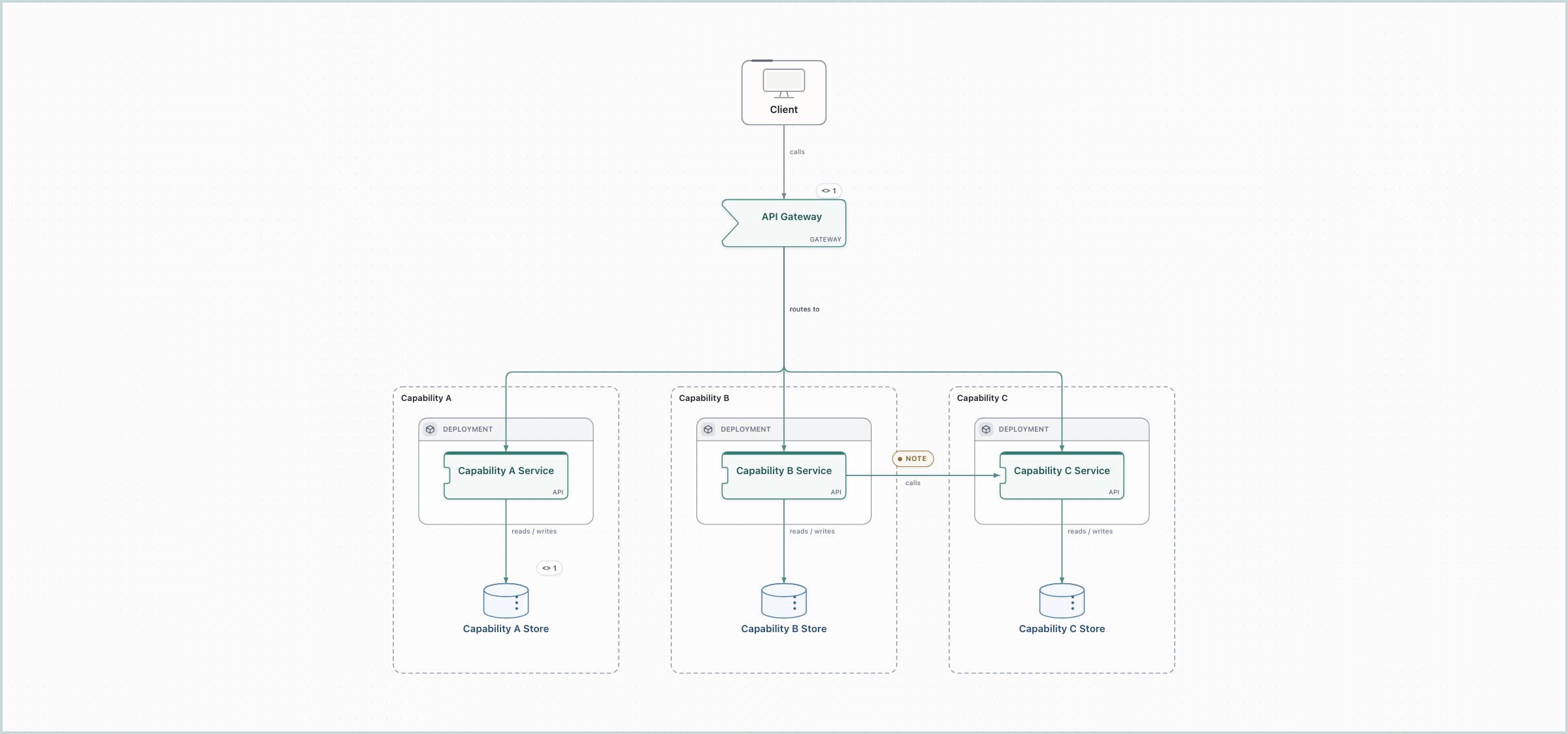
| Microservices | Architectures | Independently deployed services, each owning its data, behind a gateway |
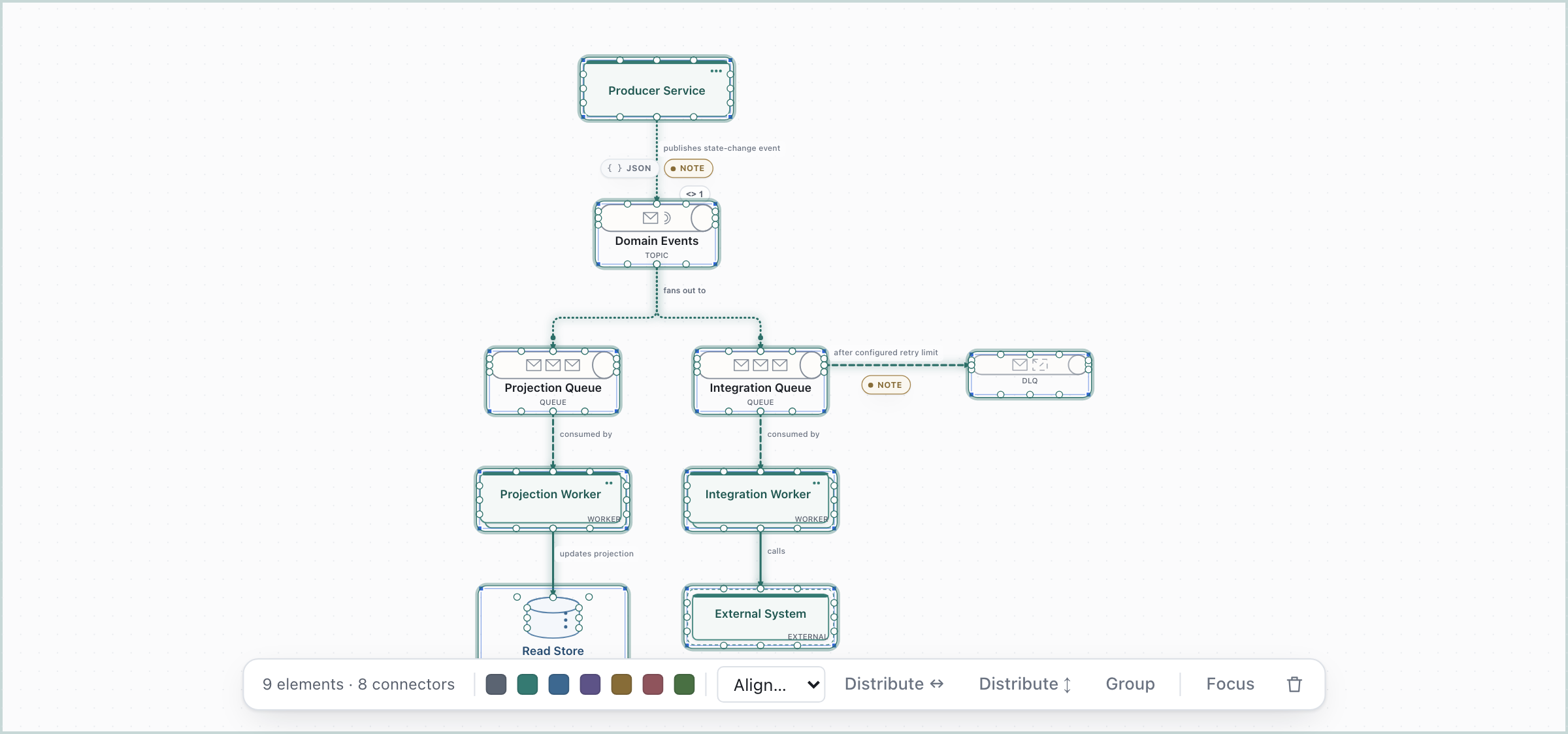
| Event-Driven | Architectures | Pub/sub: a topic fanning out to per-subscriber queues, workers and one dead-letter queue |
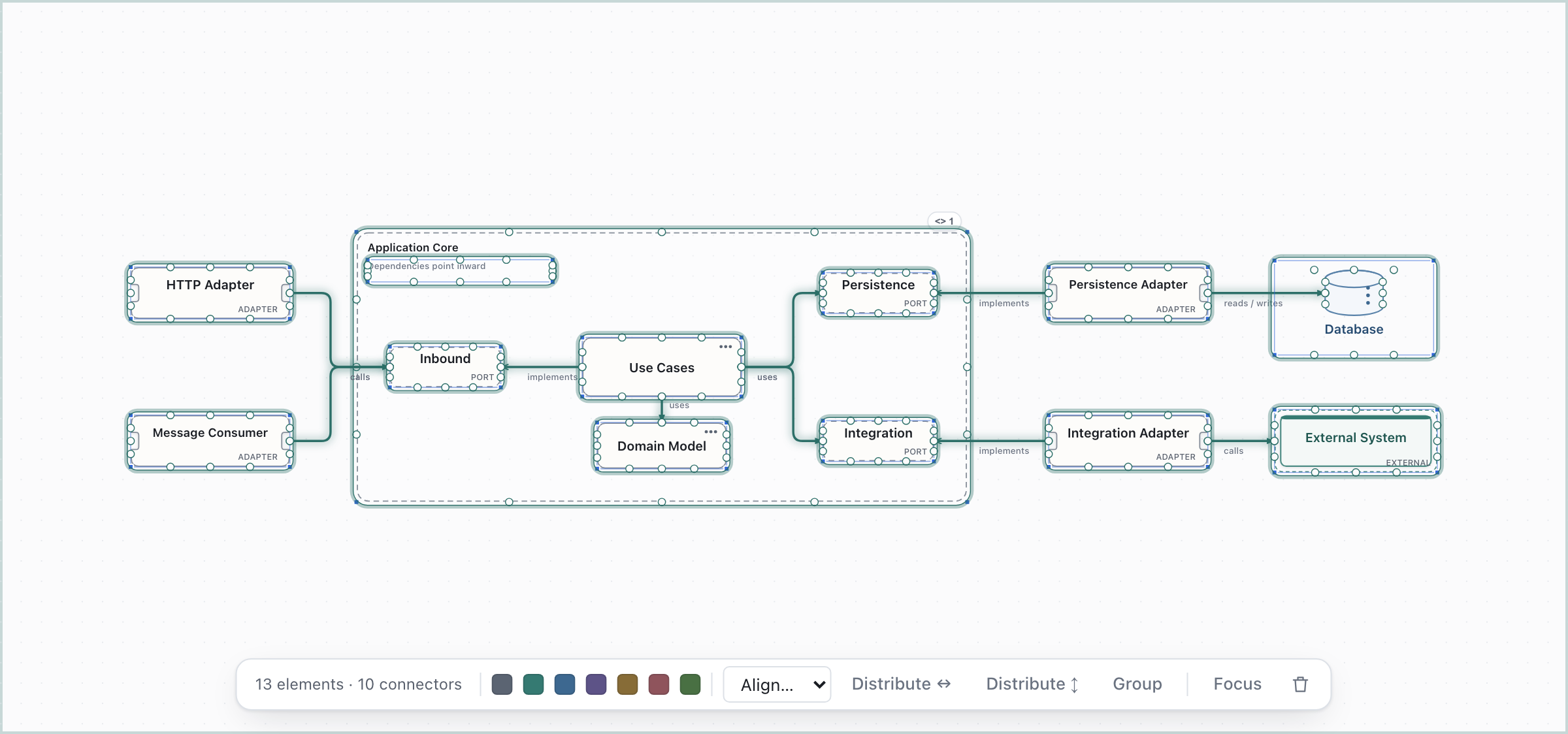
| Hexagonal | Architectures | Adapters around a core that owns its ports |
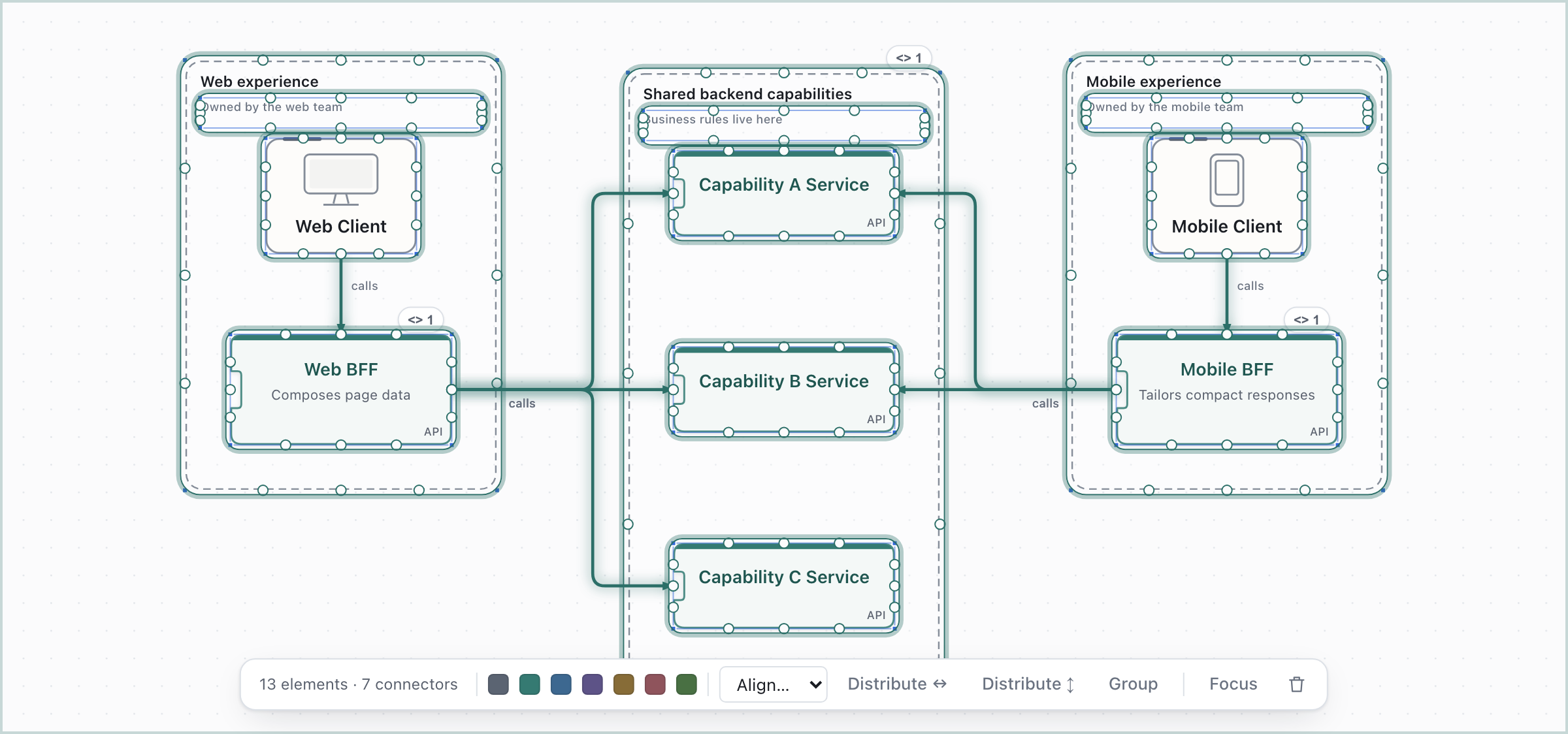
| Backend for Frontend | Architectures | A backend per frontend, over shared capabilities |
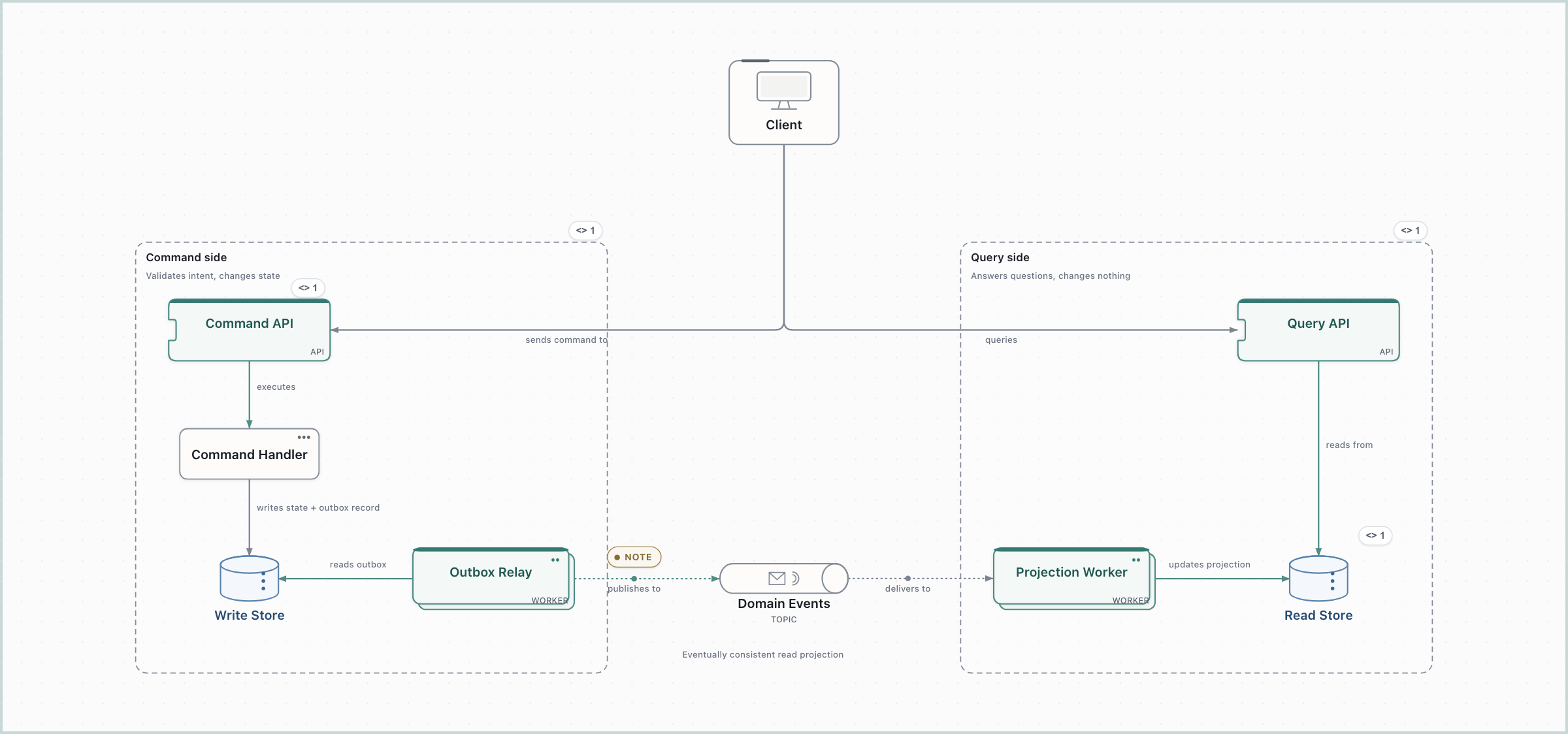
| CQRS | Architectures | Distinct command and query paths, with an asynchronous read projection |
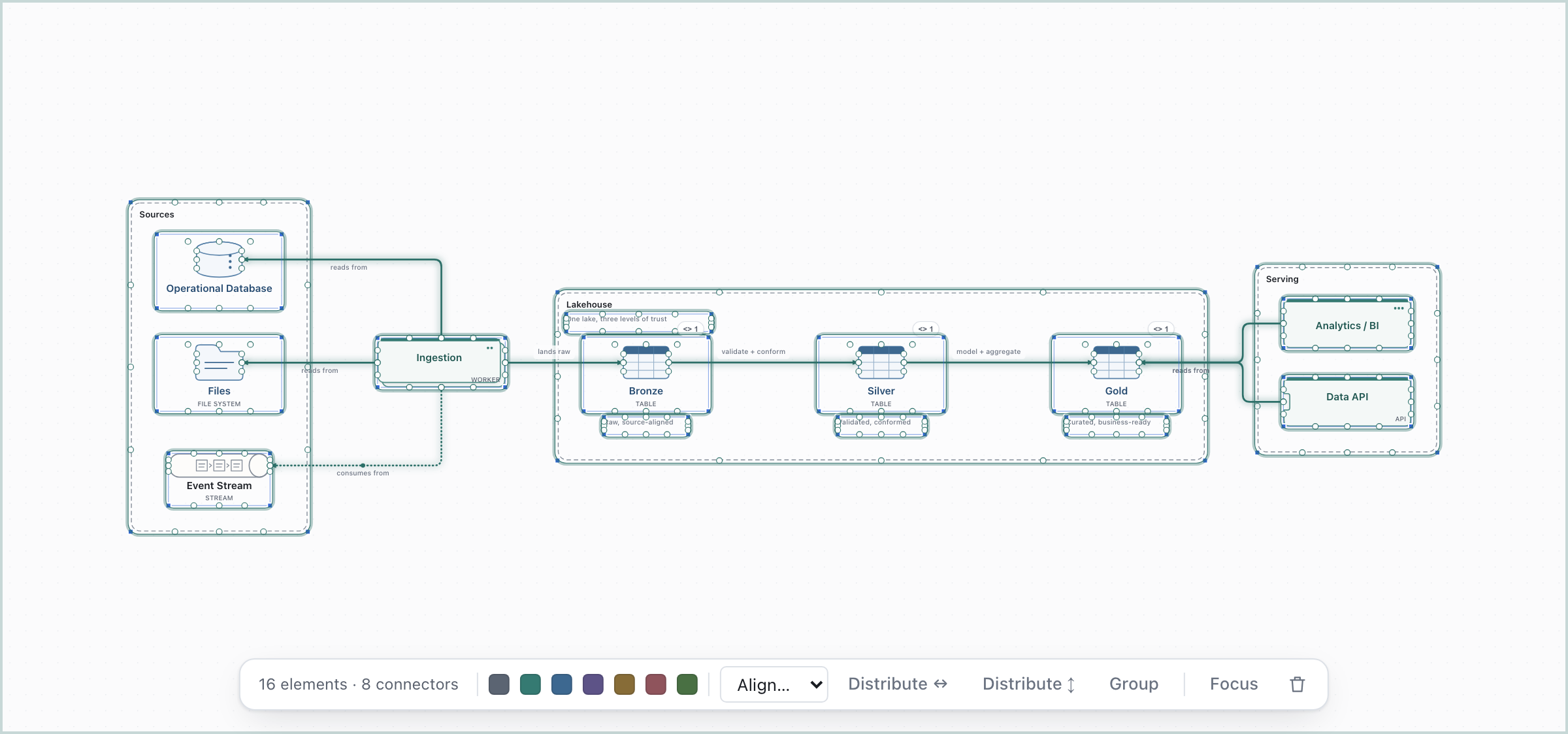
| Medallion | Data Architectures | Refine raw data into validated, business-ready datasets |
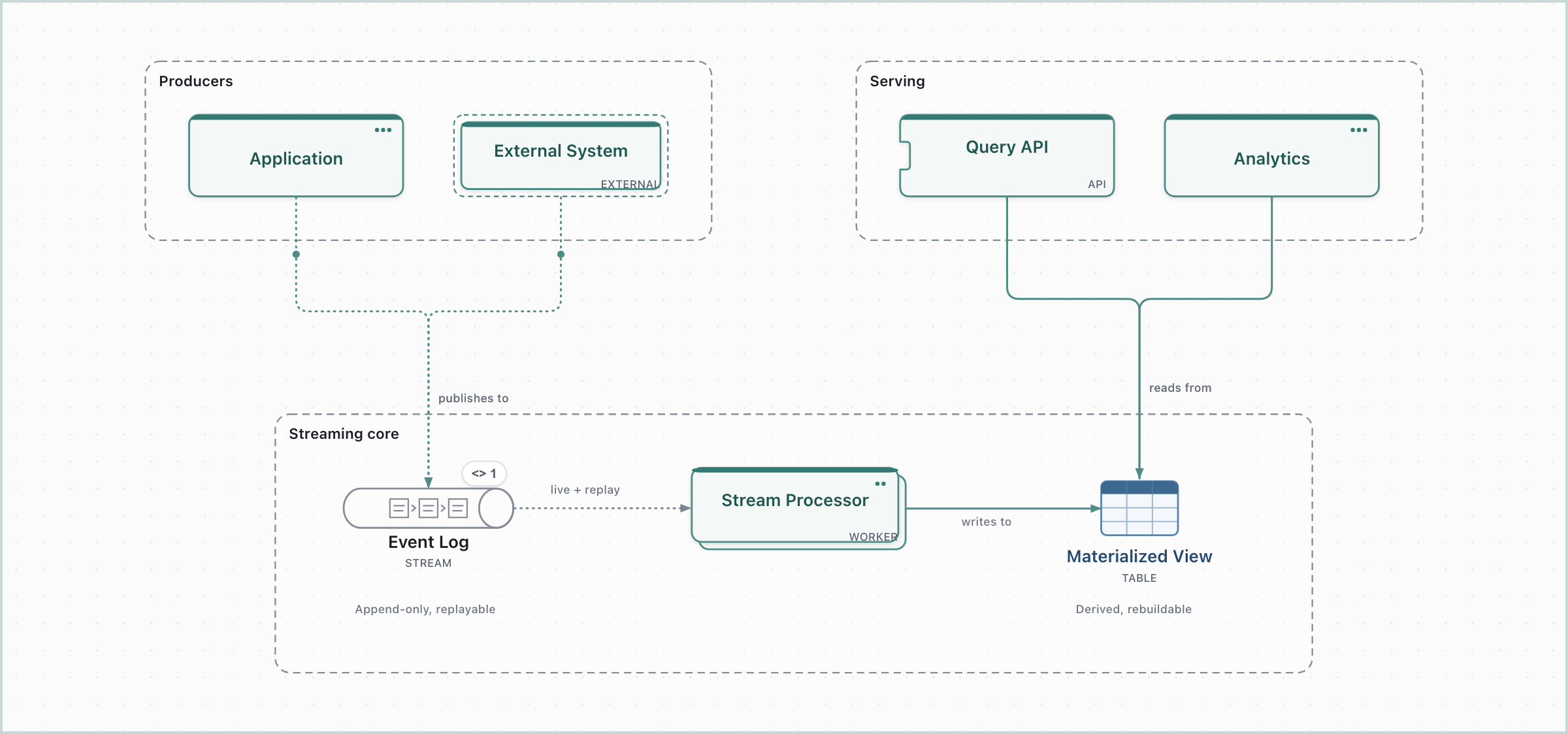
| Kappa | Data Architectures | Process live and historical data through one durable stream |
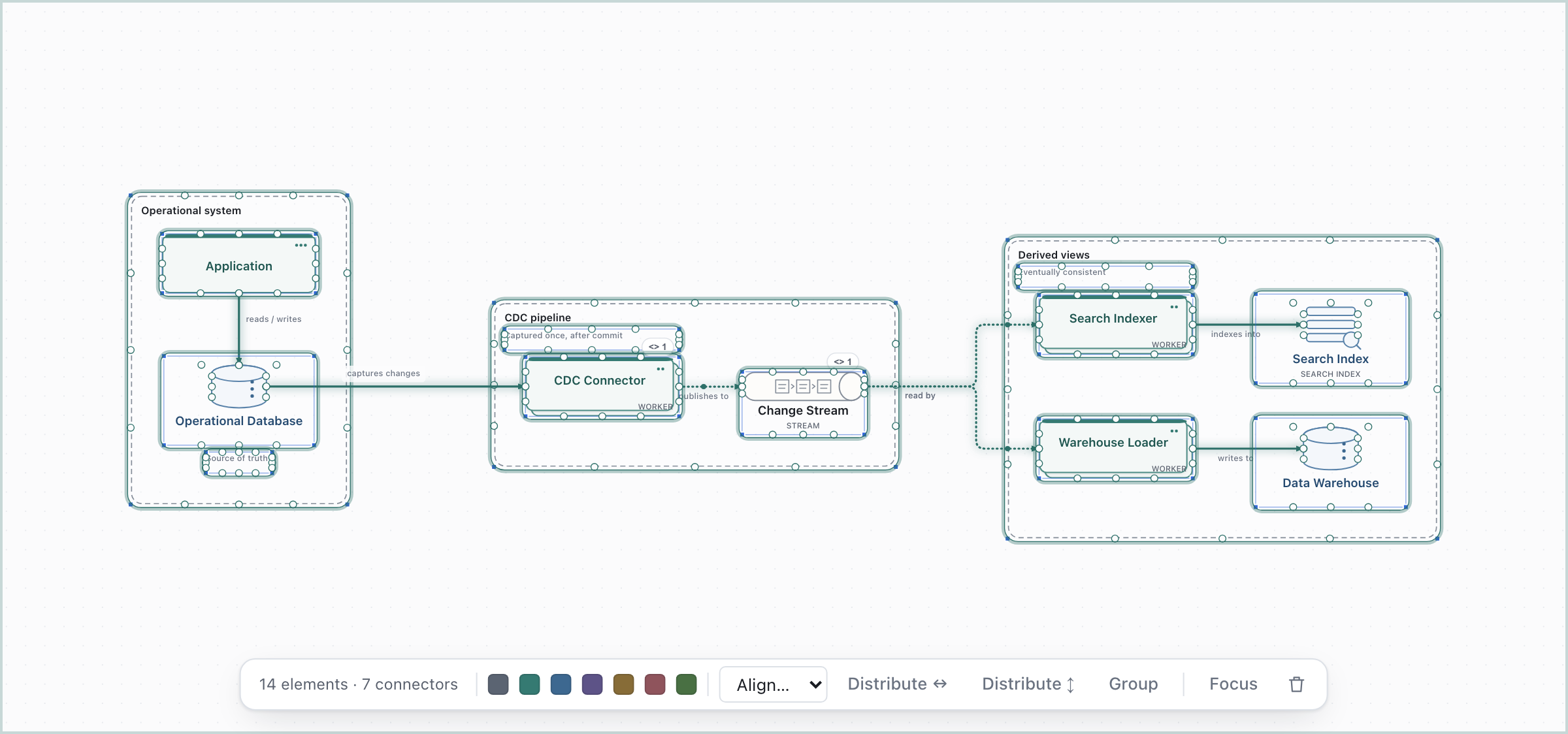
| Change Data Capture | Data Architectures | Capture committed changes once, fan out to derived views |
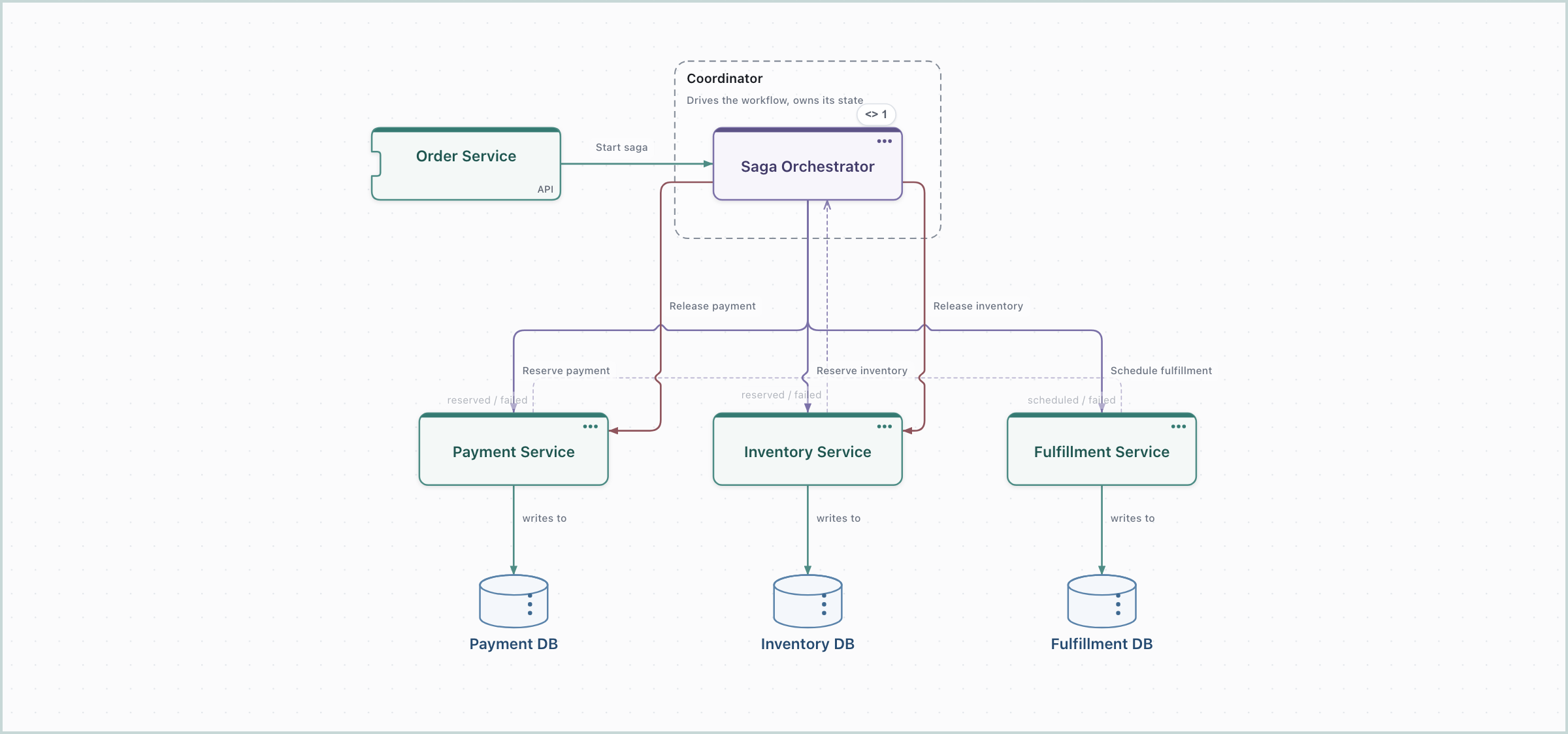
| Saga – Orchestration | Patterns | Local transactions and compensation, one coordinator |
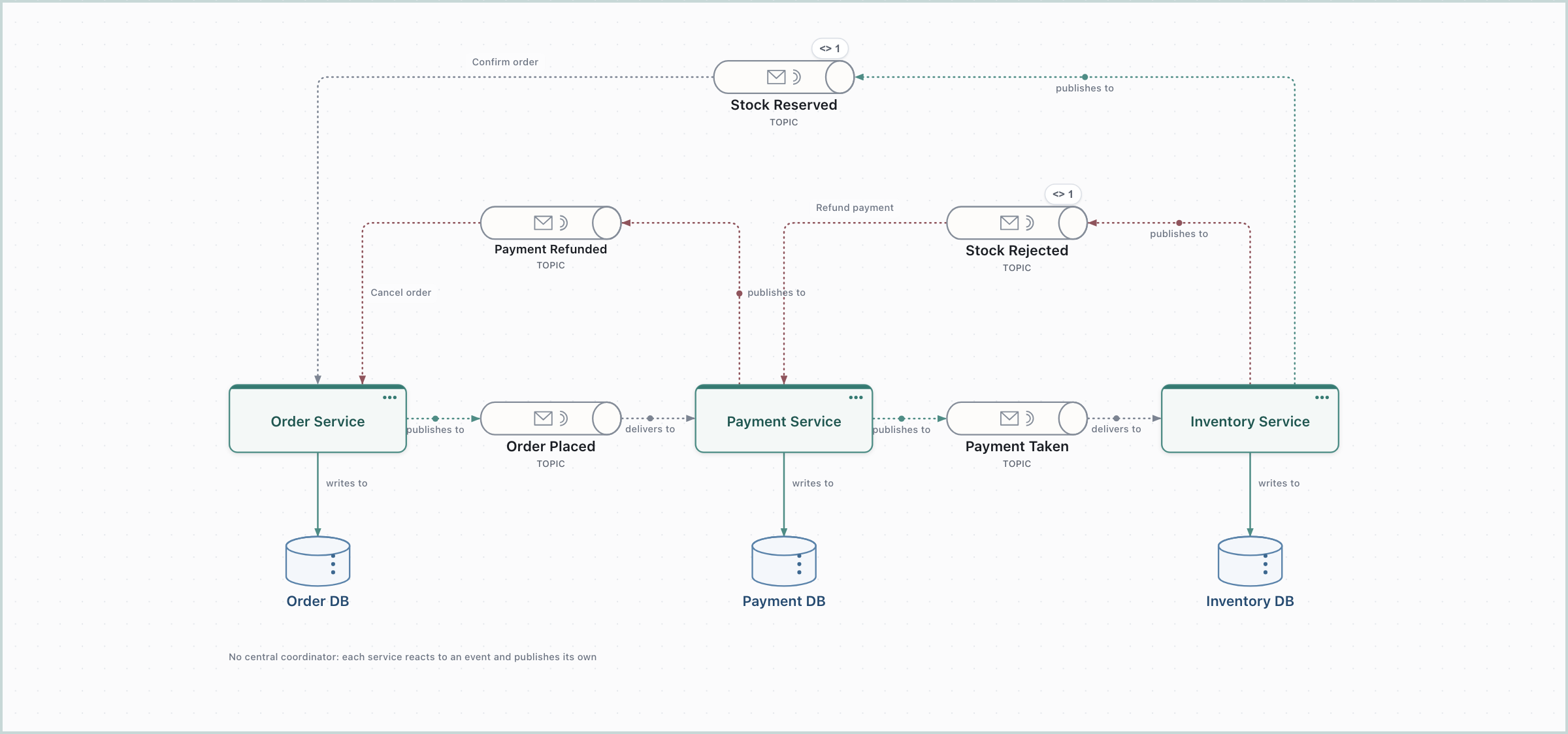
| Saga – Choreography | Patterns | Local transactions chained by events, with no coordinator |
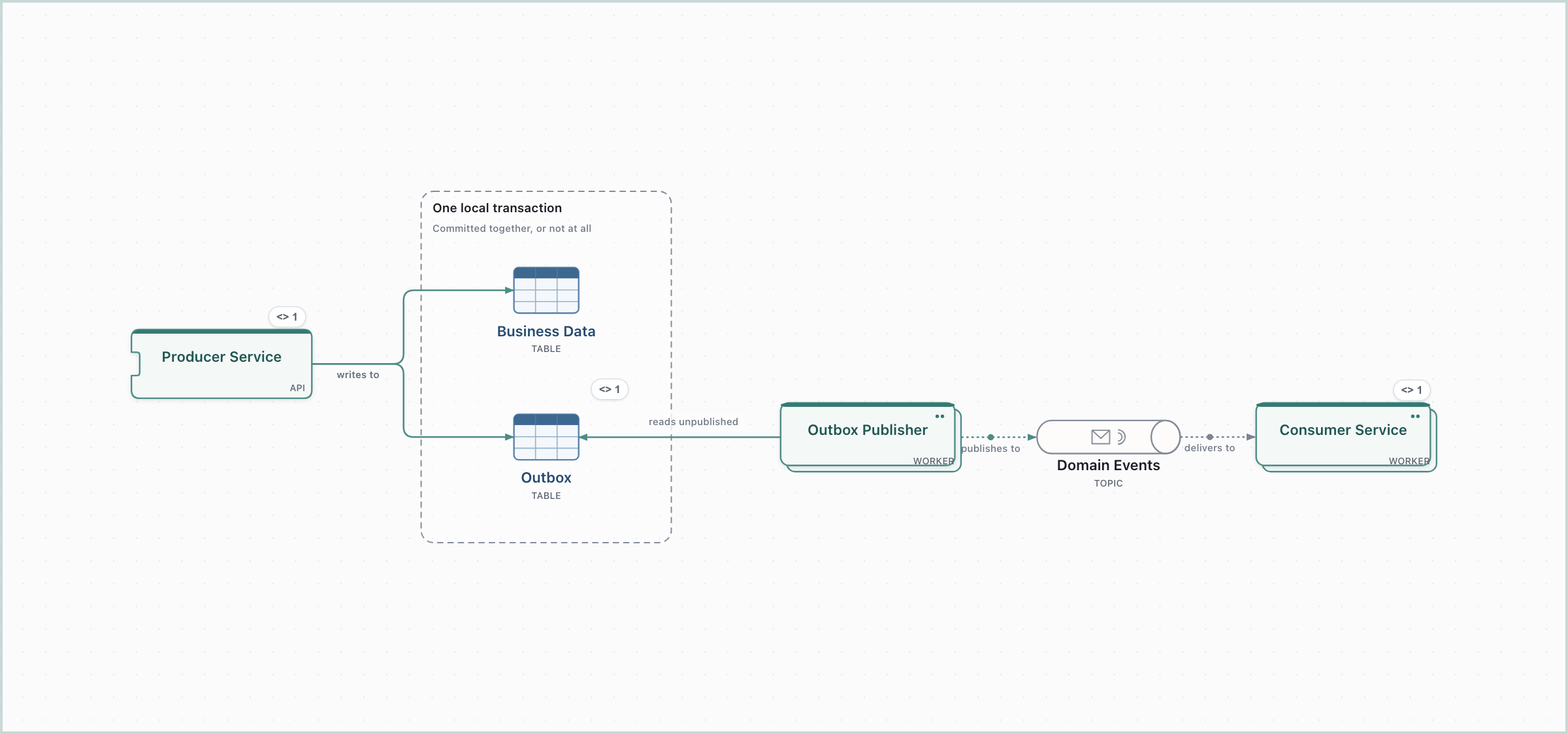
| Transactional Outbox | Patterns | Persist state and event intent atomically, publish after |
The catalog is frozen: these are examples to adapt, not a template library, and a starter is only ever a starting point. Every one lands on the canvas you are on and never replaces what is there. The shapes it creates are ordinary shapes; delete, rename and rewire them as you would anything else, and the connectors keep labelling themselves as you do.
What each one draws#
Every picture below is the starter exactly as it lands, framed with Fit to view (⌘K, then
Fit to view); the pictures are regenerated from the app with npx tsx e2e/docs-screenshots.ts.
Monolith#
Modular Monolith#
Microservices#
Event-Driven#
Hexagonal#
Backend for Frontend#
CQRS#
Medallion#
Kappa#
Change Data Capture#
Saga – Orchestration#
Saga – Choreography#
Transactional Outbox#
See also Shapes, connectors and boundaries for what the shapes mean, and Architecture semantics for the rules every connector follows.